
Your foundation · Chapter 2 of 7Paid plans
Build and check your Brand Kit
Your Brand Kit holds your logo, colours, fonts, voice and rules, so every image and caption looks and sounds like you. Set it up by chatting with Priya, then check each section.
Topics
A Brand Kit that matches your real brand.
What the Brand Kit does
Your Brand Kit holds your logo, colours, fonts, brand voice, design and copy rules, and preferred visual styles. Priya uses it for images, and Jasmine uses it for blogs and when she rewrites posts.
Check every image and caption before you publish. Quick posts made with Create with AI, and the first drafts of campaign captions, don’t yet use all of your Brand Kit. Check their tone and wording, or ask Jasmine to rewrite them in your brand voice.
Fastest start: chat with Priya
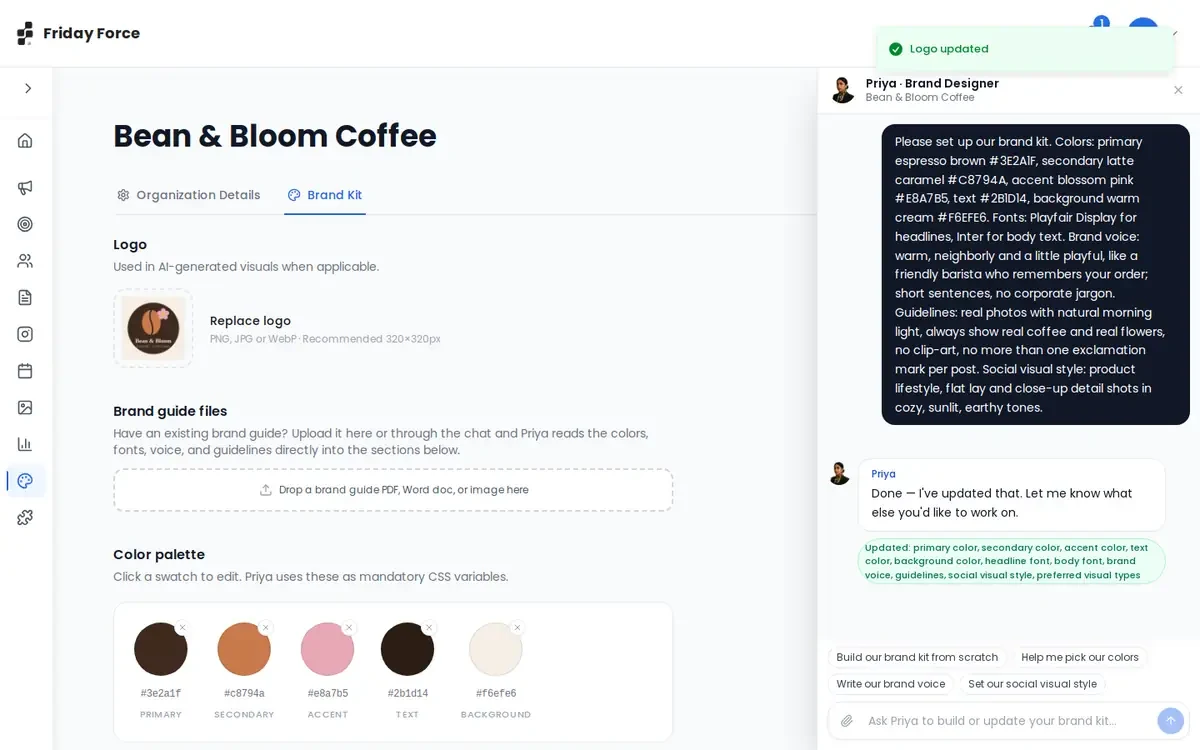
Open Brand Kit and press Chat with Priya. Describe your brand in one message, or use a quick button such as Build our brand kit from scratch, Help me pick our colors, Write our brand voice or Set our social visual style. Priya fills in the sections and lists what she changed.
Already have a brand guide? Drop it (PDF, Word or image) under Brand guide files and Priya reads it in. You can also attach files in the chat with Priya, up to 3 per message.
Did you give your website during setup? Then Friday Force has already built a first Brand Kit from it, and a banner tells you so. Documents you uploaded come first, and the website only fills the gaps. Check it with the list below and ask Priya to change anything.
Check every section
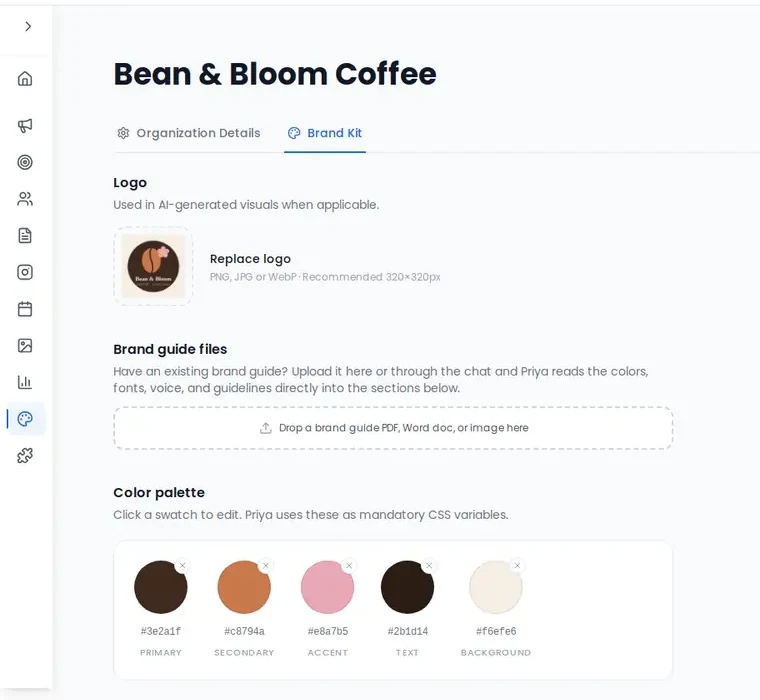
- Logo is your current version, cropped cleanly.
- Colours match your exact brand values. Enter the exact values from your brand guide.
- Fonts are yours, or chosen on purpose.
- Brand voice sounds like you. Add words you always use, and words you never use.
- Design & copy guidelines include your rules: restricted claims, required disclaimers, preferred calls to action, and what must never be shown.
- Social visual style lists only formats you want.
- Moodboard and Avatar library use real images. Name each person or mascot in the Avatar library, then type “/” and the name in a chat with Priya to use it.
Press Save brand kit at the bottom.
Keep your visuals real
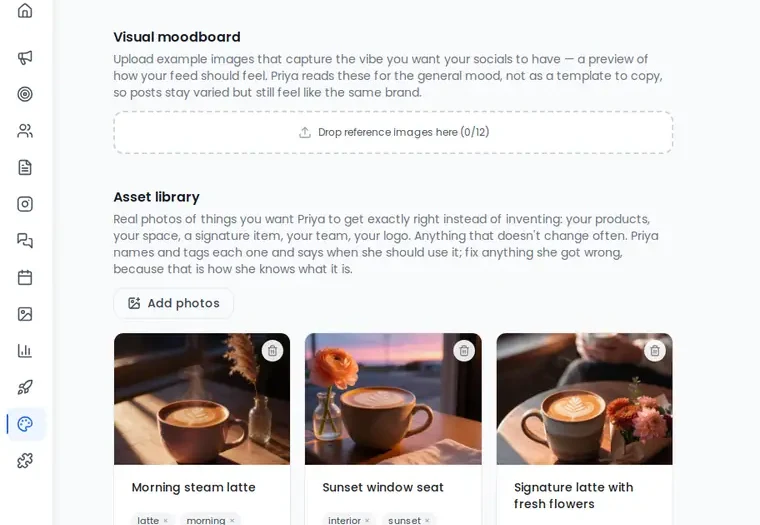
AI images can show people, products or places that don’t exist. To prevent that, use the Asset library in your Brand Kit:
- Upload real photos of what Priya must get exactly right: your products, storefront, dishes, team and logo.
- Each photo gets a name and a short description. Priya drafts them, and you correct them if needed.
- Priya uses these photos when she designs, and Elena can use them in campaigns.
Also add a rule such as “Never show menu items we don’t sell” to your guidelines, and check every image before you publish.
Never publish an image that shows a product, price, person or place that isn’t real or isn’t yours.
Logo, colours, fonts and voice match your real brand.
Screens were captured in October 2026 and may differ slightly from the current app. They show a made-up business, Bean & Bloom Coffee.
Still stuck? Ask the support team.