
Your foundation · Chapter 1 of 7
Confirm your company profile
Sign up, tell the team about your business, and check what it found. Every post your team writes builds on this profile, so make sure it is right before you move on.
Topics
A company profile you have checked and corrected.
Tell the team about your business
- Sign up with your email (press Continue with email) or with Google.
- Choose your account type: Business or Company, or Individual or Personal Brand (for freelancers and creators).
- Find your company. Search by company name, or switch to Website and paste your web address. If Friday Force finds you, it shows an “Is this your company?” card. Check every detail, press Edit to fix anything, then press This information is correct. Not you? Choose Search with different name or Enter information manually.
- Or describe your business to Elena. If you enter details yourself, or have no website, you chat with Elena. Describe your business in your own words, paste a link to your website or social page, or attach a document. The Your profile so far panel on the right fills in as you write. Check it before you press Continue.
- Upload what you already have. The app says this step is optional, but we strongly recommend it. Add your brand guide, logo files, brochures, service descriptions or marketing plan. You can skip it and add documents later from the Brand Kit icon → Organization Details tab → Documents.
- Setup is done. In the background, Omar researches your first target audience, then builds your first strategy from it. They appear in the bell when they’re ready. If you don’t have a paid plan yet, you’ll be asked to choose one.
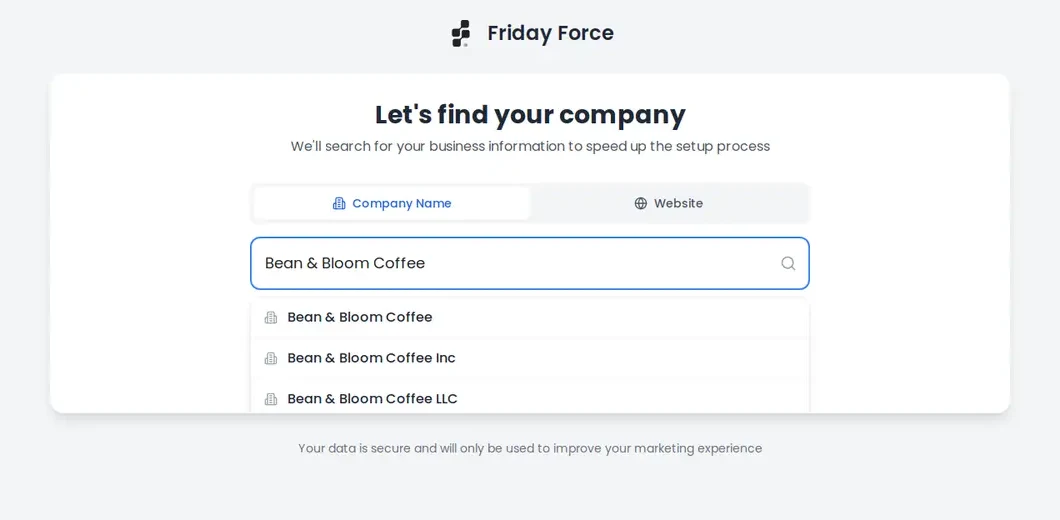
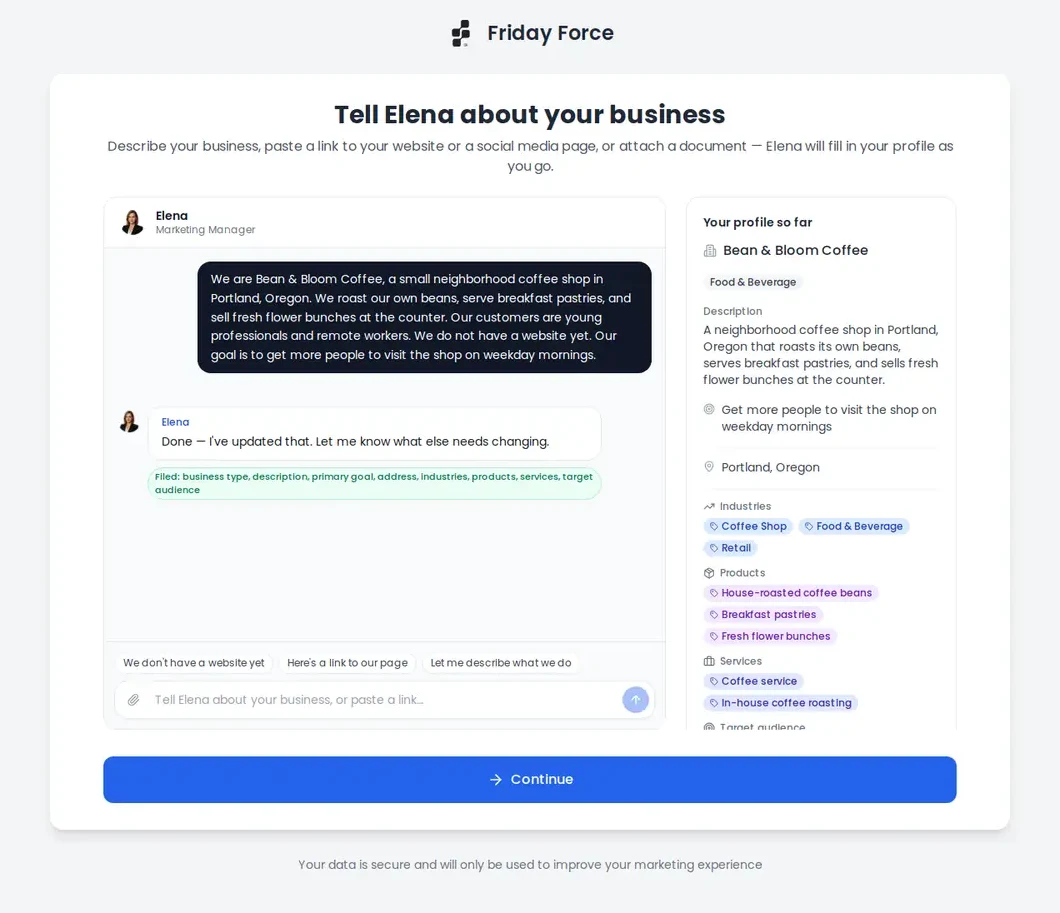
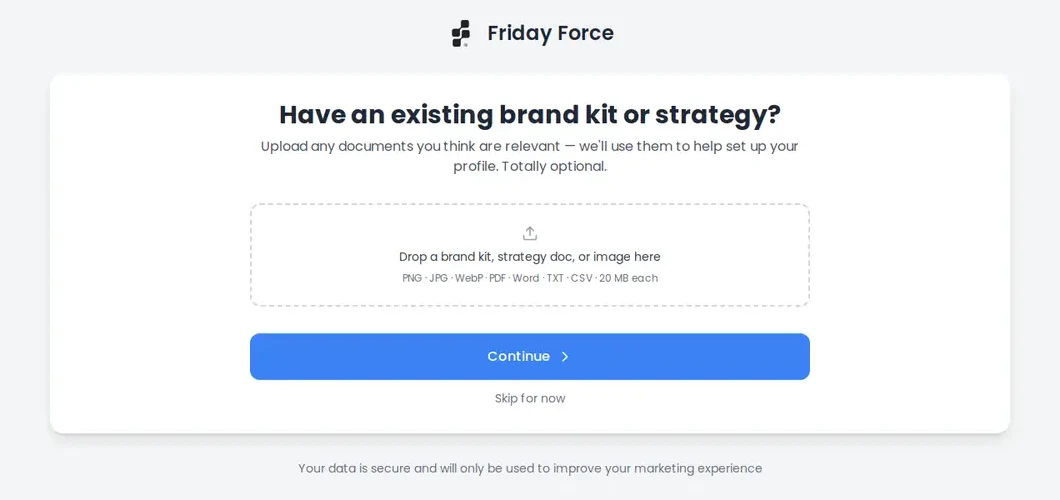
Details found online can be out of date, belong to another business, or be wrong. Only confirm details that are really yours, and correct anything that isn’t.
If the first audience or strategy can’t be finished, the Strategies or Target Audiences page says “We couldn’t finish your first strategy” or “We couldn’t finish your audience research”. Create it again from that page. If the message says you’re out of credits, see I’m out of credits.
Give the team good material
A short paragraph is enough to start, but it isn’t enough for accurate marketing. Before you build campaigns, work through this list.
- Business name, website, industry and location are correct.
- Products, services and prices are current. Remove anything you no longer sell.
- What makes you different is written in your own words.
- Brochures, service descriptions and past marketing are uploaded.
- Logo, brand guide and approved photos are uploaded (see your Brand Kit).
- Your rules are written down: required disclaimers, claims you must never make, and the calls to action you prefer.
- You’ve checked the AI’s research instead of assuming it’s right.
- Different customer groups and goals are kept apart. Use separate audiences, strategies or campaigns for them.
Not sure where something goes? See where each kind of information goes.
Check and correct your profile
To open your company profile, click the Brand Kit icon in the menu, then the Organization Details tab. Press Edit Organization to fix anything, or Chat with Elena.
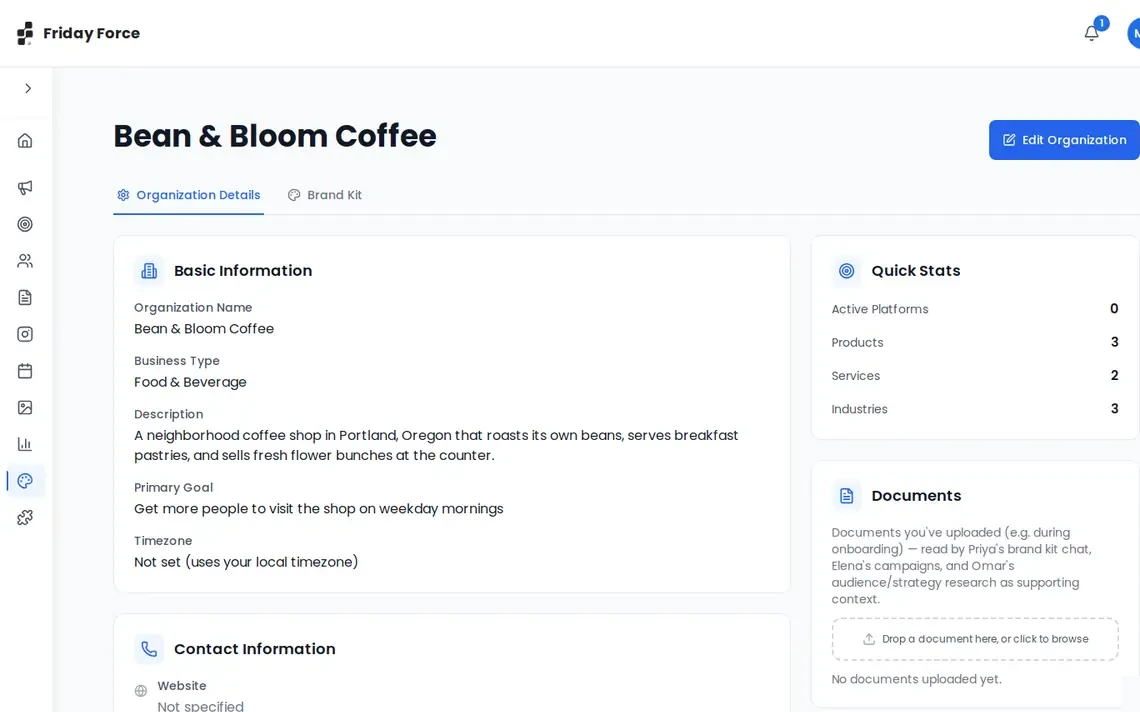
Your profile feeds everything the team makes. A wrong detail here can show up in every post.
Every detail in your company profile is correct.
Screens were captured in October 2026 and may differ slightly from the current app. They show a made-up business, Bean & Bloom Coffee.
Still stuck? Ask the support team.