
Your foundation · Chapter 3 of 7
Define your audience and strategy
After setup, Omar researched your first target audience and built your first strategy. Treat both as drafts: review them, fix what is off, and approve them before you build a campaign.
Topics
A target audience and a strategy you agree with.
Review your target audience
Go to Target Audiences and open your audience. You’ll see an Overview, Demographics (age, location, income, education, family) and Psychographics (interests, values, frustrations).
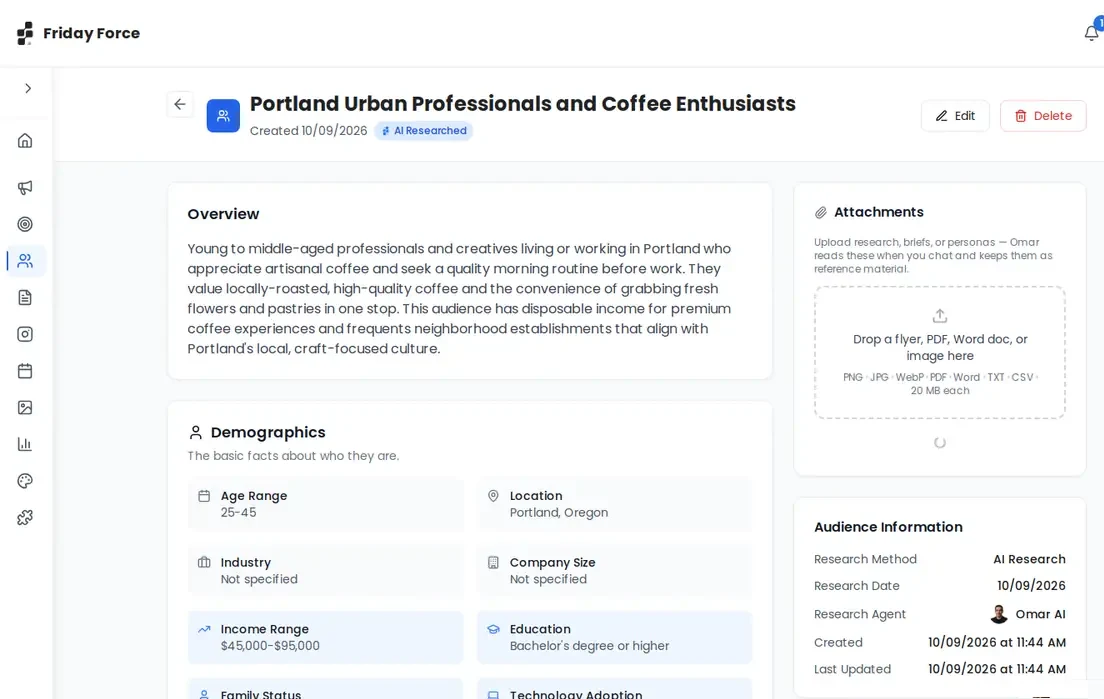
- You’d recognise this person as a real customer.
- Location, age and income fit who actually buys from you.
- The frustrations and interests ring true. Ask the people who talk to your customers every day.
- Nothing in it is invented about your business.
Press Edit to fix anything. Need another group? Press Create Audience.
Review your strategy
Go to Strategies and open your strategy. It has three tabs: Plan, Do and Track. The Plan shows the goal, the linked target audience, topics to talk about, where to post and a weekly routine. You can attach research for Omar to use. Keep one goal per strategy: different customer groups or goals get their own audience and strategy.
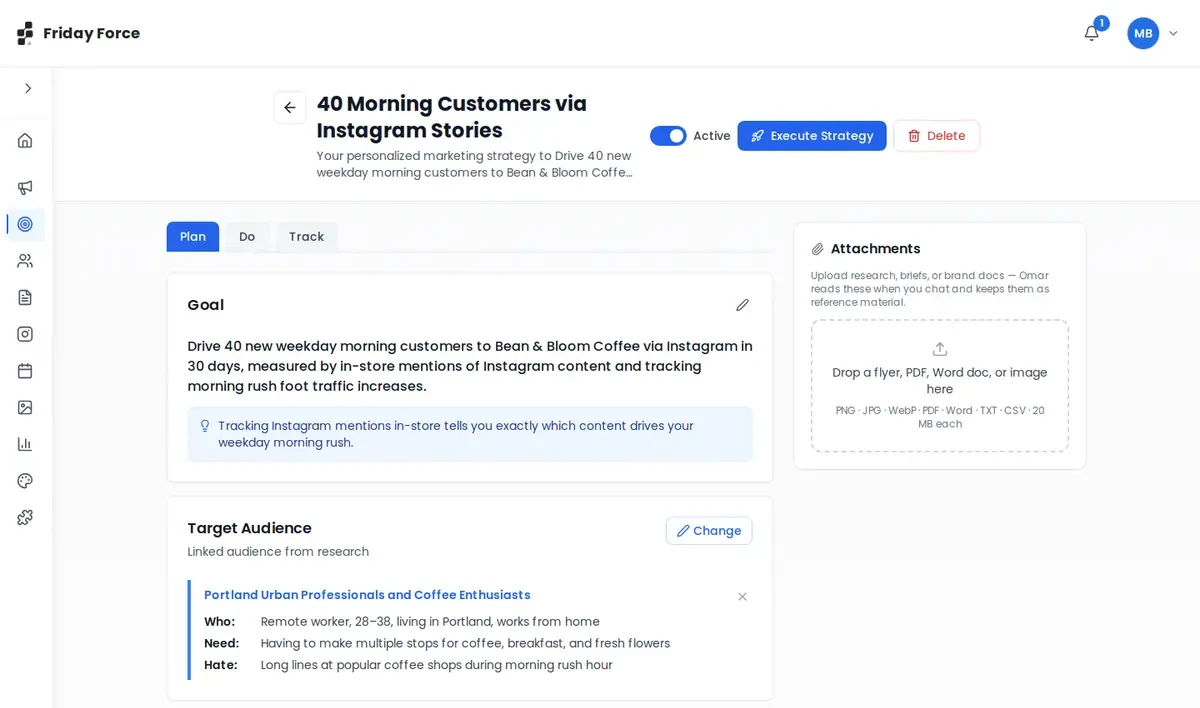
- The goal is specific, measurable and realistic.
- The linked audience is the right one. Press Change to pick another.
- The channels are ones you’ll really use and can connect.
- The topics fit what you sell.
- You can keep up the weekly routine, including the time to review posts.
To change it, press Chat with Omar. To make another, press Create with AI and describe your goal, or press Create Strategy to write it yourself.
How your strategy shapes campaigns
Campaigns are built on your strategy and audience, and Elena links them under What Elena decided. The quickest start: open a strategy and press Execute Strategy. It creates a draft campaign from it, instantly and free. It counts toward your monthly campaign limit.
You recognise the audience as your customers, and the goal is one you want.
Screens were captured in October 2026 and may differ slightly from the current app. They show a made-up business, Bean & Bloom Coffee.
Still stuck? Ask the support team.