
Using Friday Force · Section 4 of 8
Track results and improve
Your numbers appear once you connect a social account and publish posts. Friday Force collects results from each platform once a day, and Daniel turns them into findings you can act on.
Topics
When your numbers appear
Numbers appear after you connect a social account and publish posts. A new account shows 0.
- Friday Force collects your results from each platform once a day. Press Refresh now to pull the latest numbers sooner.
- Posts you publish directly on a platform are imported every 6 hours.
- An open Analytics page reloads every 5 minutes.
What the numbers mean
Choose a period (7 days to all time), a platform, or a single campaign.
| Number | What it tells you |
|---|---|
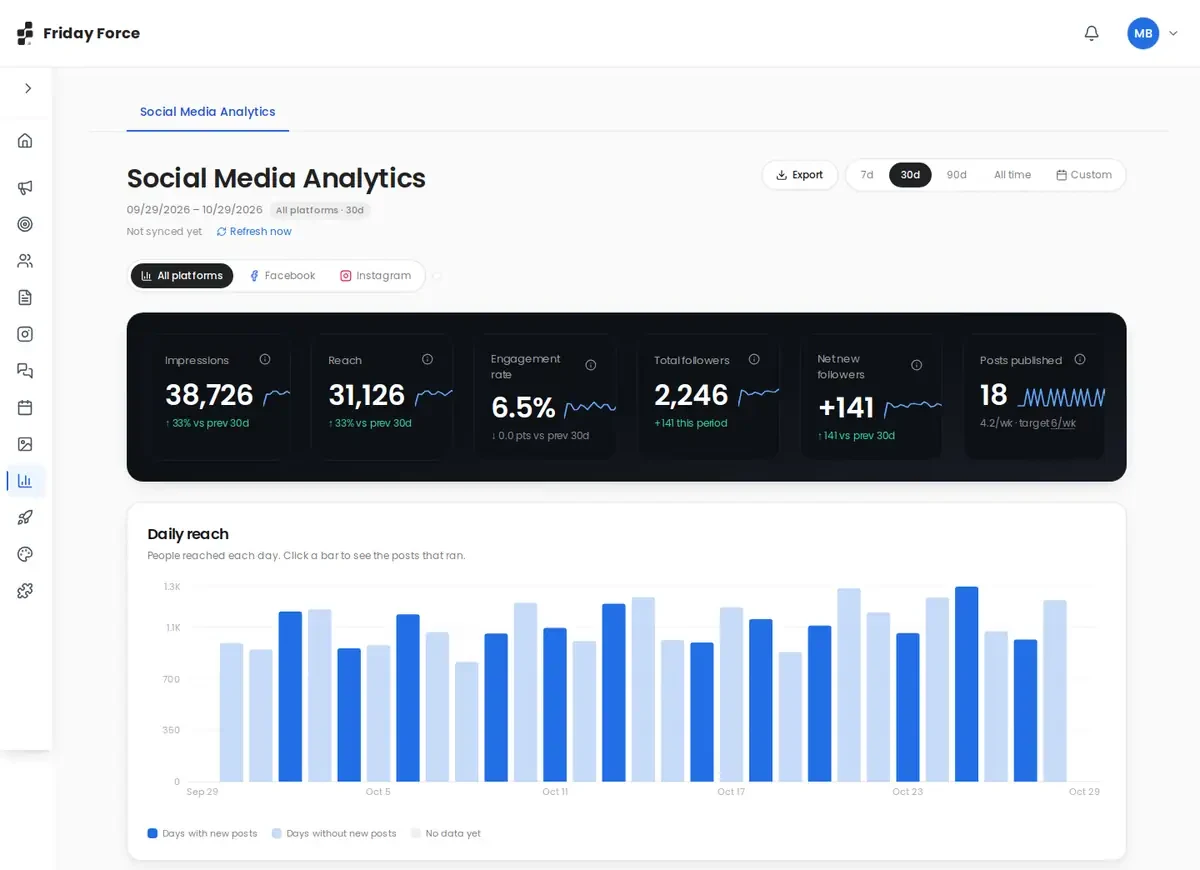
| Impressions | How many times your posts were shown, including repeat views |
| Reach | How many different people saw your posts |
| Engagement rate | Likes, comments, shares, saves and reactions, divided by reach, as a percentage. If reach isn’t available, followers are used instead. |
| Total followers | Followers across your connected accounts |
| Net new followers | Followers gained minus followers lost in the period |
| Posts published | Compared with the weekly target from your strategy |
Below the numbers are charts for daily reach (click a day to see its posts), engagement over time, results by platform, and your top 5 posts.
Which channels report results
| Channel | What you get |
|---|---|
| Reactions, comments, shares, reach, impressions and page followers | |
| Likes, comments, shares, saves, reach and followers | |
| TikTok | Likes, comments, shares, views and followers (no separate reach) |
| LinkedIn company page | Likes, comments, shares, reach, impressions and followers |
| LinkedIn personal profile | Limited: most numbers aren’t available |
| YouTube | Likes, comments, views and subscribers |
Blog posts published to your website don’t appear in Social Media Analytics.
Turn results into your next campaign
Part of Get started: Check your results and improve
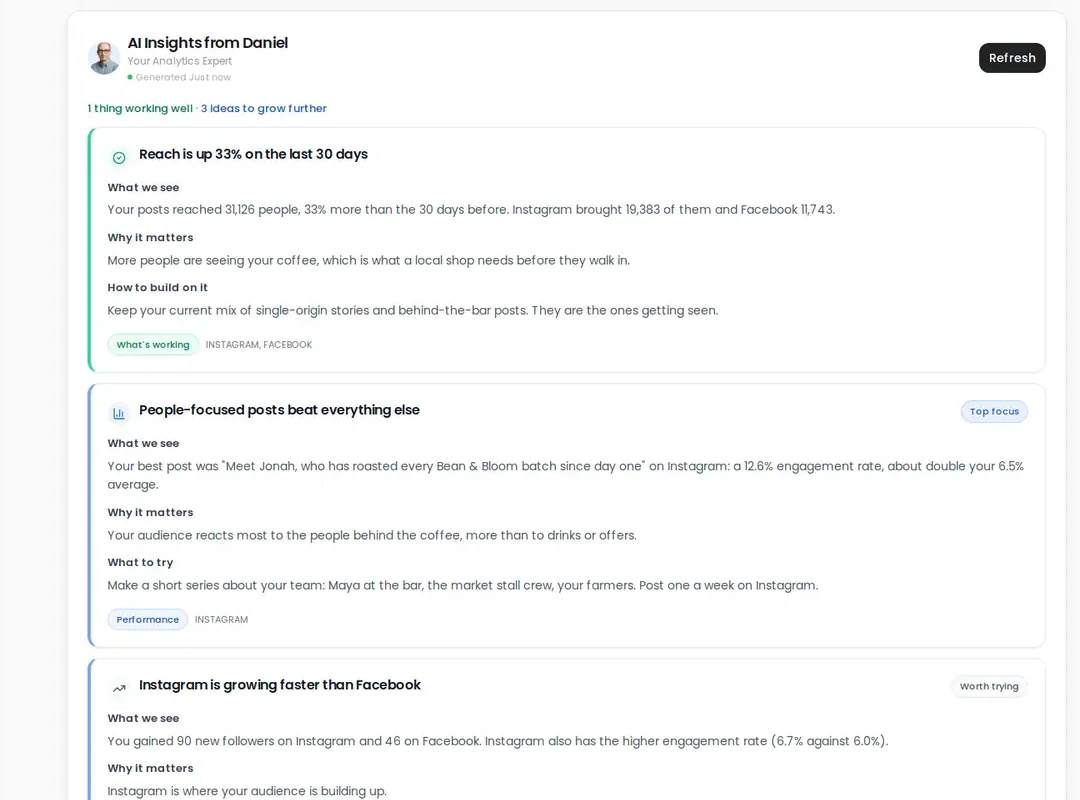
- Press Ask Daniel for AI Insights. Daniel turns the numbers into findings: what’s working, why it matters, and what to try next.
- Pick one or two findings to act on. For example: “Carousels reached twice as many people as single images.”
- Open your next campaign’s chat. Elena automatically reads Daniel’s latest insights, so you can ask: “Based on Daniel’s insights, what should we change?” Or ask Omar to update your strategy.
Screens were captured in October 2026 and may differ slightly from the current app. They show a made-up business, Bean & Bloom Coffee.
Still stuck? Ask the support team.